The Research Repository Problem Nobody Talks About
Every mature research team eventually faces the same realization: you have done hundreds of studies, conducted thousands of interviews, and generated enough insight to fill a library — and nobody can find any of it.
The pattern is depressingly consistent. A team launches a research repository with great enthusiasm. There is a Notion workspace, or a Dovetail instance, or a carefully structured Google Drive. For three months, researchers dutifully tag and upload their findings. By month six, the tagging is inconsistent. By month nine, half the team is not uploading at all. By month twelve, product managers have stopped looking because the last five searches returned nothing useful.
This is not a tooling problem. It is an architecture problem. Most teams build repositories the way they would build a filing cabinet — organized by project, date, and researcher. But that is not how insight gets used. Product decisions do not follow the chronological order of your study calendar. A PM asking "what do we know about onboarding friction for enterprise users?" needs to traverse dozens of studies across years. Filing-cabinet architecture makes that nearly impossible.
The teams that build repositories people actually use — teams at companies like Atlassian, Spotify, and Airbnb — treat the repository as a living knowledge layer, not a storage system. The difference is fundamental, and it starts with how you structure insight from the moment it is captured.
Why Most Repositories Fail: The Three Death Patterns
Death Pattern 1: The Completeness Trap
Teams try to capture everything. Every transcript, every recording, every sticky note from every synthesis session. The repository becomes exhaustive and unusable. Researchers spend more time documenting than researching. The signal-to-noise ratio drops to zero.
The fix: Capture atomic insights, not studies. An atomic insight is a single, specific, evidence-backed finding that can stand on its own. "Enterprise users abandon onboarding at step 3 because the SSO configuration screen assumes technical knowledge they don't have" is an atomic insight. "Q3 Onboarding Study Findings" is a project dump.
Death Pattern 2: The Taxonomy Nightmare
Someone builds an elaborate tagging taxonomy before any research goes in. Product area, user segment, journey stage, research method, confidence level, theme, sub-theme. Researchers face 12 required fields on every upload. They start gaming the system — picking random tags to clear the form. The taxonomy becomes noise.
The fix: Start with a minimal taxonomy (3-5 dimensions max) and let it evolve. The best repositories use a combination of structured metadata (product area, user segment) and free-text search. AI-powered analysis tools can retroactively tag and cluster insights far more consistently than humans doing it manually at upload time.
Death Pattern 3: The Ghost Town
The repository exists, but nobody visits. Researchers upload findings. Product managers never check. Decisions are made in meetings, Slack threads, and gut-feel conversations. The repository becomes a compliance artifact — proof that research was done, not a tool that shapes decisions.
The fix: This is the hardest pattern to break because it is a cultural problem, not a technical one. The solution is to make the repository the default source of truth in decision-making workflows. More on this below.
The Architecture That Works: Atomic Insights + Living Connections
The most effective research repositories share a common architecture, regardless of the tooling underneath.
Layer 1: Atomic Insight Capture
Every piece of knowledge enters the repository as an atomic insight — a discrete, specific finding with enough context to be understood independently. Each insight has:
- The finding itself (one to three sentences, specific and falsifiable)
- Evidence link (pointer to the source transcript, clip, or artifact)
- Minimal metadata (product area, user segment, date, study)
- Confidence indicator (single observation, pattern across multiple participants, validated quantitatively)
This is where most teams go wrong with qualitative data analysis. They store study-level summaries instead of insight-level atoms. A study summary is useful for the researcher who ran it. An atomic insight is useful for anyone, anytime, regardless of whether they know the original study existed.
Layer 2: Thematic Clustering
Atomic insights are powerful individually but transformative when connected. The second layer groups related insights into themes — not rigid categories, but living clusters that evolve as new evidence accumulates.
Modern affinity mapping approaches powered by AI can automatically suggest thematic clusters, surface contradictions between insights, and identify themes that are gaining strength over time. This turns the repository from a search tool into a pattern-detection system.
A well-clustered repository can answer questions like:
- "What are the top five friction points for enterprise onboarding?" (aggregation)
- "Has sentiment about our pricing changed over the last six months?" (trend detection)
- "Are there contradictions between what users say in interviews and what they do in usability tests?" (cross-method triangulation)
Layer 3: Decision Integration
This is the layer most repositories never build, and it is the layer that determines whether the repository lives or dies.
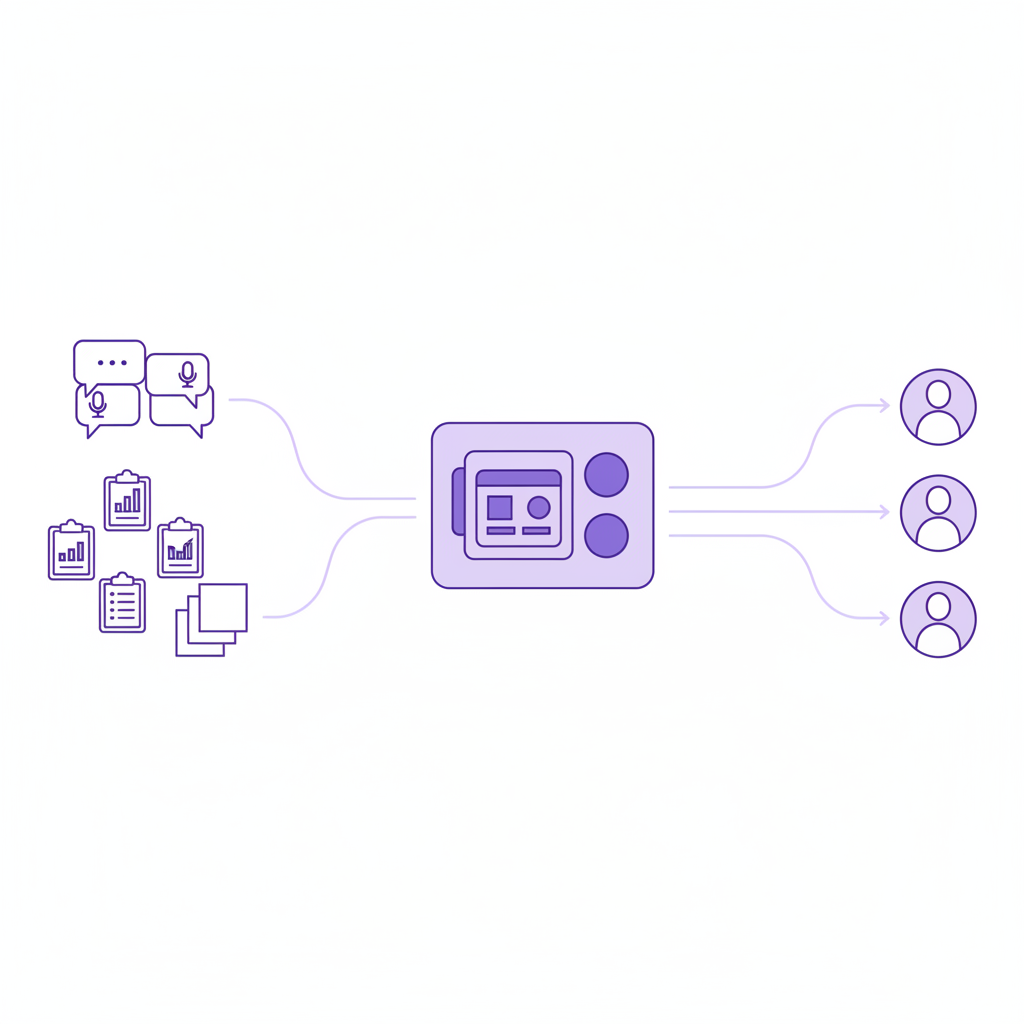
Decision integration means connecting insights to the artifacts where decisions actually happen: product roadmaps, design specs, PRDs, sprint planning documents. When a PM writes a PRD for a new onboarding flow, the repository should surface relevant insights proactively — not wait for the PM to remember to search.
The practical implementation varies, but the most effective patterns include:
- Embedded insight cards in product management tools (Jira, Linear, Notion) that surface relevant research when new features are planned
- Weekly insight digests tailored to each product team, highlighting new findings relevant to their domain
- Research review checkpoints in the product development process — a standing step where the team checks the repository before committing to a design direction
This is where research democratization moves from aspiration to practice. The repository becomes the mechanism by which non-researchers access and apply research findings.
Building the Repository: A Practical Playbook
Step 1: Audit What You Have
Before building anything, inventory your existing research. How many studies from the last two years? Where do they live? What format are they in? Which ones are still relevant?
Most teams discover they have 30-50 studies scattered across Google Drive, Notion, Confluence, and individual researchers' hard drives. The audit itself is valuable — it reveals the fragmentation that makes the current state unusable.
Step 2: Choose Your Core Dimensions
Pick three to five metadata dimensions that map to how your organization makes decisions. Common effective dimensions:
- Product area (maps to team ownership)
- User segment (maps to persona or customer tier)
- Journey stage (maps to the user lifecycle)
- Confidence level (single finding, repeated pattern, quantitatively validated)
Resist the urge to add more. Every additional dimension increases the cognitive load on researchers uploading insights and decreases the consistency of tagging.
Step 3: Backfill Strategically
You do not need to retroactively tag every study you have ever done. Backfill the 20% that drives 80% of the value:
- Studies from the last 6-12 months (still relevant to current product decisions)
- Foundational research (persona definitions, journey maps, competitive analysis)
- Research with high reuse potential (anything that gets cited frequently in meetings)
For the backfill, AI tools can dramatically accelerate the process. Automated analysis of open-ended responses and transcripts can extract atomic insights from existing study materials, suggest tags, and identify thematic clusters — turning a months-long manual effort into a weeks-long assisted one.
Step 4: Design the Contribution Workflow
The single biggest predictor of repository success is how easy it is for researchers to add insights. If it takes more than 5 minutes to upload a finding, it will not happen consistently.
The optimal workflow:
- Researcher completes analysis and identifies key findings
- Each finding gets entered as an atomic insight (template with pre-filled metadata from the study)
- AI suggests additional tags, related insights, and thematic clusters
- Researcher reviews suggestions, adjusts, and publishes
- Relevant stakeholders are notified of new insights in their domain
The contribution workflow should be integrated into the research process itself, not bolted on as an afterthought. Insight capture happens during analysis, not after the final report is delivered.
Step 5: Build Consumption Habits
The hardest step. You need non-researchers to habitually consult the repository before making product decisions.
Tactics that work:
- Research office hours where PMs can bring questions and researchers search the repository live, demonstrating its value
- "What do we already know?" as a standing agenda item in product planning meetings
- Insight alerts — automated notifications when new research is published relevant to a team's domain
- Executive dashboards showing insight coverage by product area (which areas are well-researched, which are blind spots)
The goal is to make "check the repository" as natural as "check the analytics dashboard." It takes 3-6 months of consistent reinforcement to build this habit.
Measuring Repository Health
A healthy repository is not measured by how much is in it. It is measured by how much gets used.
Leading indicators:
- Weekly active users (non-researchers) searching or browsing insights
- Insights cited in PRDs, design specs, or decision documents
- Time from insight publication to first view by a non-researcher
- Search success rate (percentage of searches that return relevant results)
Lagging indicators:
- Product decisions that cite research evidence
- Reduction in redundant research (teams discovering the answer already exists)
- Cross-team insight reuse (team B using team A's research)
If your repository has 10,000 insights but three weekly active users, it is a filing cabinet. If it has 500 insights and 50 weekly active users, it is infrastructure.
The Role of AI in Next-Generation Repositories
The repository architecture described above is powerful but labor-intensive. AI-powered research platforms are fundamentally changing the economics by automating the most time-consuming steps:
Automated insight extraction — AI reads transcripts, recordings, and survey responses and surfaces candidate atomic insights for researcher review. This cuts the contribution workflow from 30 minutes per study to 5 minutes.
Semantic search — Instead of relying on tags, AI enables natural-language search across the entire repository. A PM can ask "what do enterprise users think about our pricing?" and get relevant insights regardless of how they were tagged.
Dynamic clustering — AI continuously re-clusters insights as new evidence arrives, surfacing emerging themes and shifting patterns that static taxonomies would miss.
Proactive surfacing — AI monitors product planning documents and proactively suggests relevant insights, turning the repository from pull (search when you remember) to push (insight finds you when you need it).
The trajectory is clear: the next generation of research repositories will not be databases with good search. They will be intelligent knowledge systems that actively participate in the decision-making process — surfacing the right insight, to the right person, at the right moment.
Start Small, Build Momentum
Do not try to build the perfect repository on day one. Start with a single product team. Capture insights from the next five studies using the atomic insight format. Get three PMs to search the repository before their next planning session. Measure what happens.
The teams that build repositories people actually use all share one trait: they treated adoption as a product problem, not a documentation problem. They iterated on the experience, measured engagement, and optimized for the consumer (the PM, the designer, the executive) — not just the producer (the researcher).
Your research is too valuable to live in slide decks nobody reopens. Build the system that gives it a second life.