How to Easily Send Your Study to AI Participants
Once your study is ready, you can collect responses from your AI participants. Each participant answers based on its configured persona and background. A new workspace has no participants, so generate AI participants first.
You can start from the Participants page or from your study.
From the Participants Page
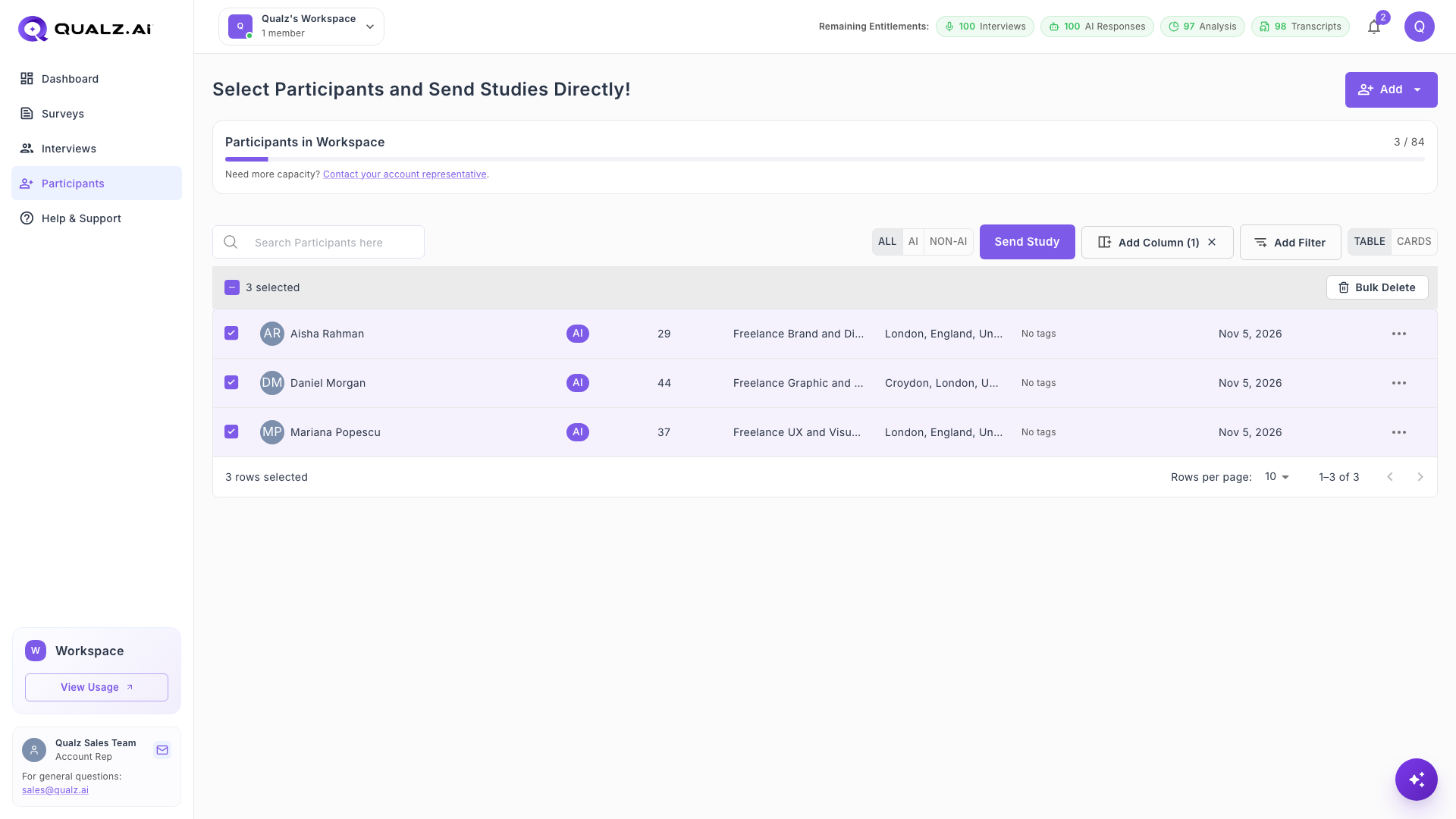
- Click Participants in the left sidebar.
- Tick the participants you want to use. To narrow the list first, see How to Filter AI Participants to Match Your Survey.
- Click Send Study.
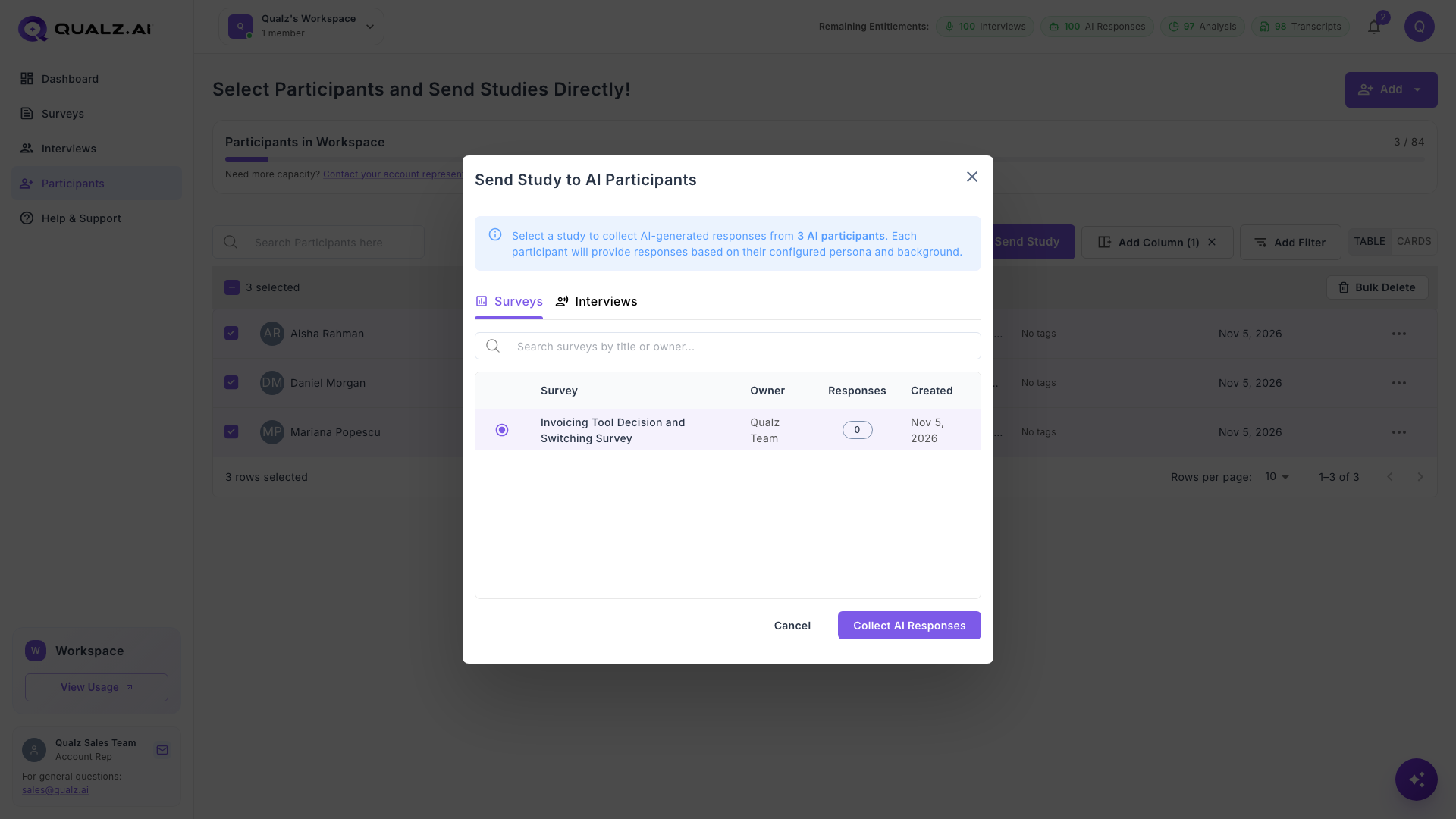
- In the Send Study to AI Participants dialog, open the Surveys or Interviews tab and select your study. You can search by title or owner.
- Click Collect AI Responses.
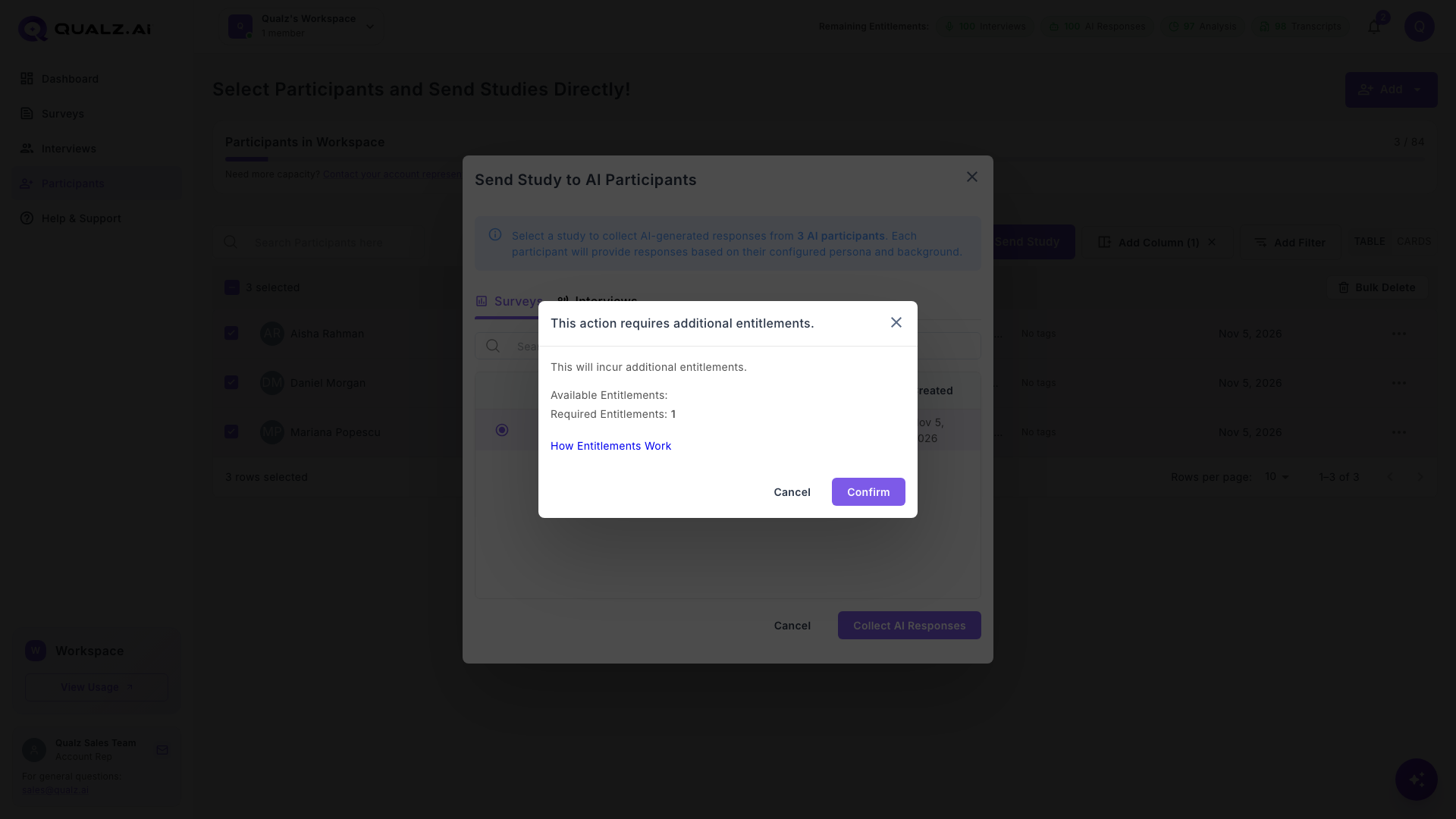
- A message shows the entitlements required. Click Confirm.
From Your Study
- On the Share step of a survey or AI-moderated interview, find the Send to Participants card and click Send to Participants.
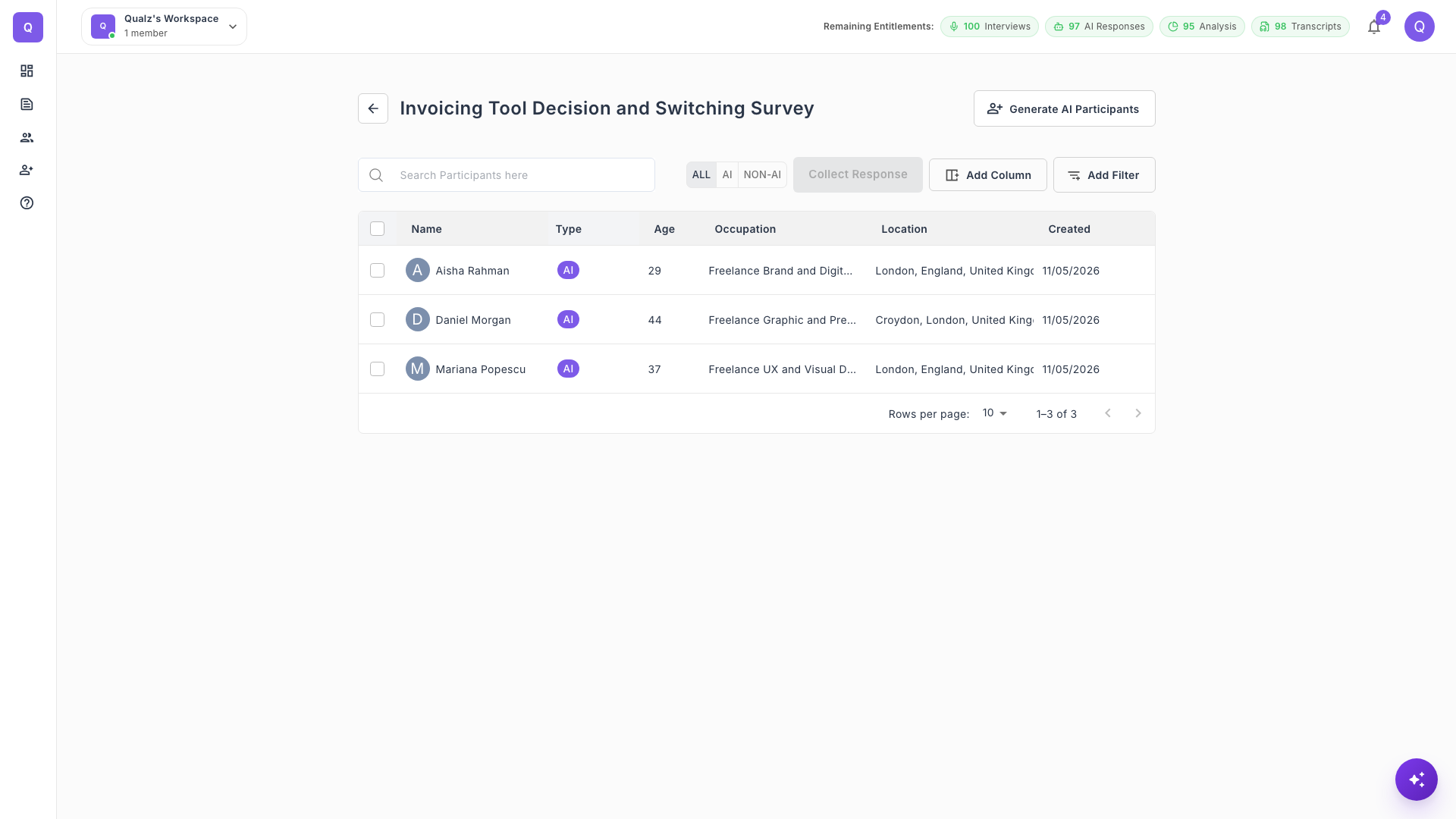
- A page opens with the participants in your workspace. If you need new ones, click Generate AI Participants.
- Tick the participants you want to use, then click Collect Response.
What Happens Next
The responses are collected in the background, and each participant's response uses one AI Participant Response from your entitlements. The study's response count updates when they arrive.
To see the results, go to Analyze Surveys with AI Participants.