How to Do the Persona Stem & Task Flow Lens Analysis?
This guide walks you through running the Persona Stem & Task Flow lens in Qualz.ai. The lens drafts proto-personas from your interview transcripts, maps the tasks each persona is trying to complete, and surfaces the friction points and enablers for every persona-task pair. It is ideal for product and UX researchers who need to know who their users are, what they are trying to do, and what stands in their way.
Step 1: Prepare Your Interview Transcripts
To run the Persona Stem & Task Flow lens, you need interview transcripts in your Qualz.ai workspace. You can get them in two ways:
- Use AI-Moderated Interviews: If you conducted interviews with Qualz.ai's AI-Moderated Interview feature, transcripts are generated automatically. Make sure the sessions are marked as complete.
- Upload Existing Transcripts: For interviews conducted manually or transcribed elsewhere, upload the transcript files (DOCX, PDF, or TXT) by following the Upload Your Data guide.
Step 2: Open the Study and Start "Run Analysis"
- Open the interview study that contains your transcripts.
- Click the purple Run Workflows button at the top right of the study page and choose Run Analysis.
- The Choose an Analysis Lens page opens. It lists every lens and shows a three-step progress bar: Select Lens → Select Items → Estimate Analysis. Use the search box or the Filter by Category chips to narrow the list.
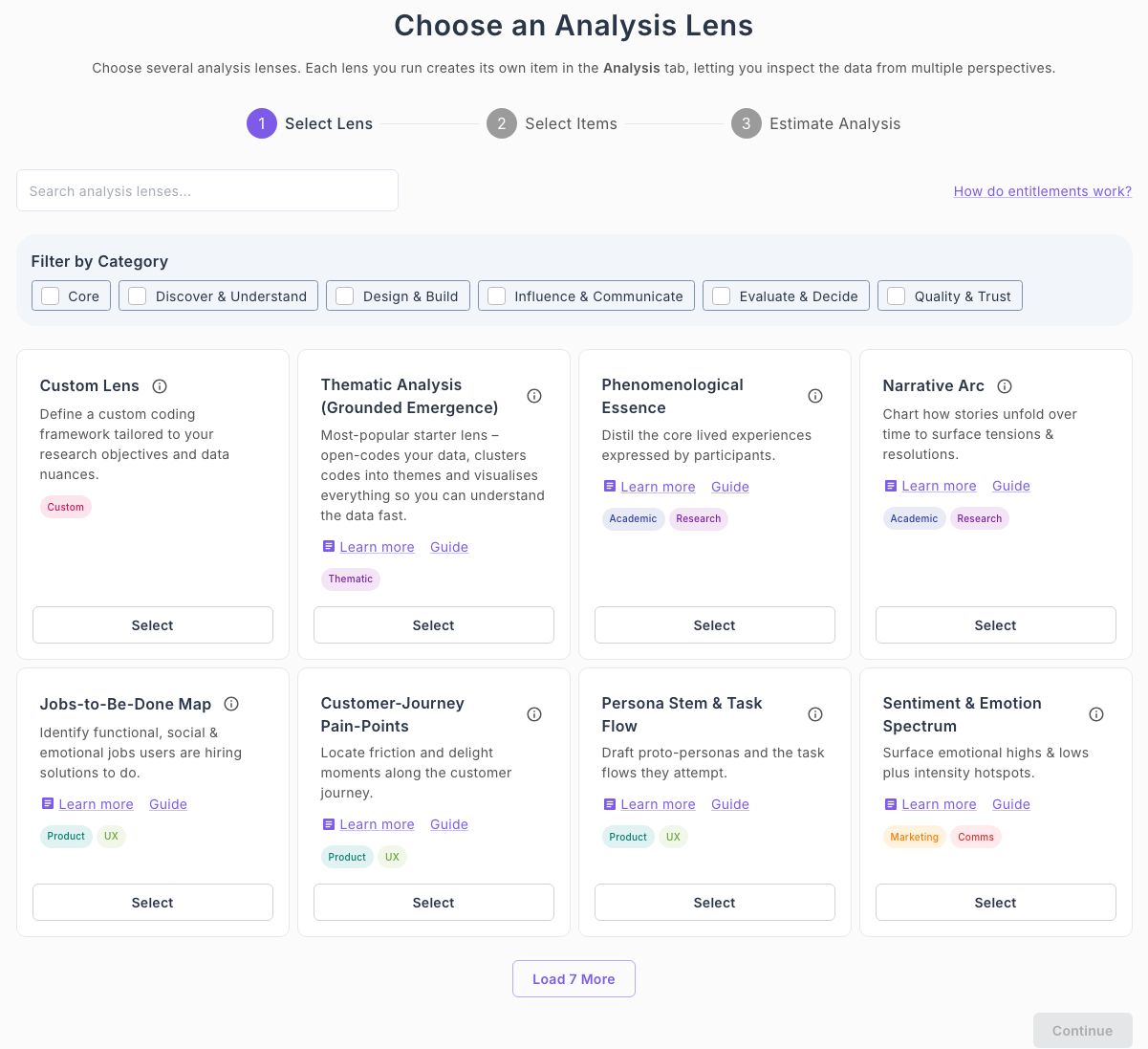
Step 3: Select the Persona Stem & Task Flow Lens and Your Transcripts
Lenses are grouped by purpose: Core, Discover & Understand, Design & Build, Influence & Communicate, Evaluate & Decide, and Quality & Trust. See What is Multi-Lens Analysis? for an overview of the lenses.
The Persona Stem & Task Flow lens is in the Design & Build group, next to Jobs-to-Be-Done Map and Customer-Journey Pain-Points. Each card has a Guide link back to this page.
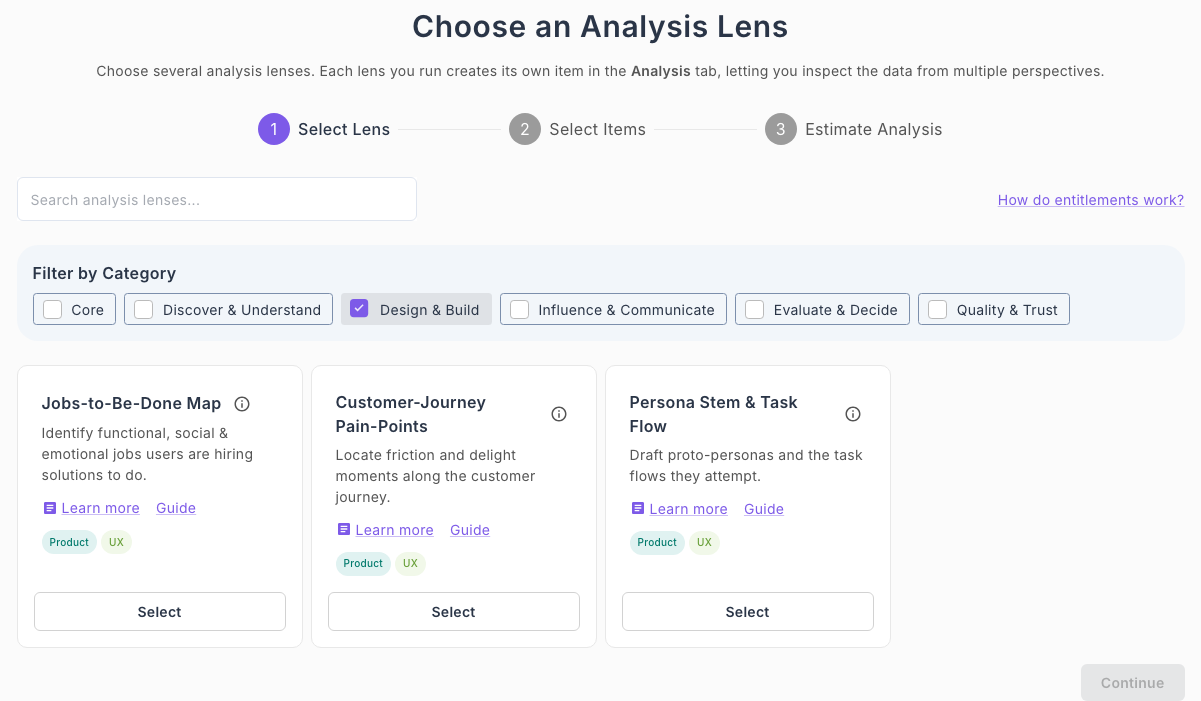
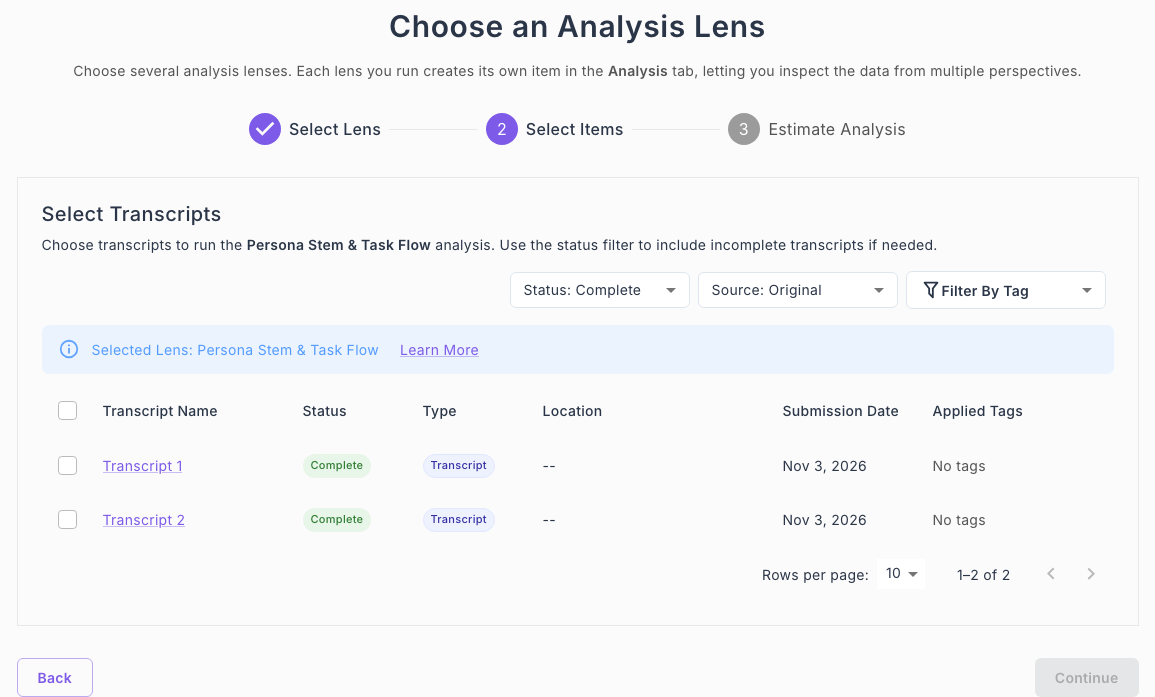
- Click Select on the Persona Stem & Task Flow card. The page moves to the Select Transcripts step and confirms Selected Lens: Persona Stem & Task Flow.
- Tick the box next to each transcript you want to analyze. Only transcripts with the status Complete are listed by default; use the Status, Source and Filter By Tag controls to change the list.
- Click Continue.
Step 4: Review the Estimate and Start the Analysis
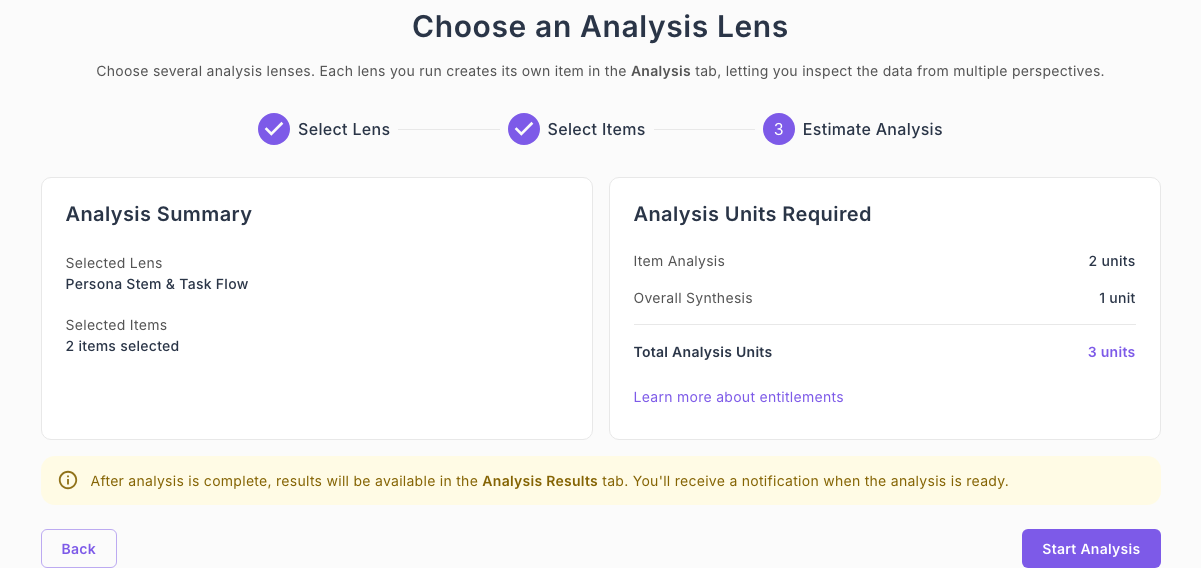
The Estimate Analysis step summarizes what will run and what it costs:
- Analysis Summary shows the selected lens and the number of transcripts.
- Analysis Units Required lists one unit per transcript (Item Analysis) plus one unit for the Overall Synthesis. For example, two transcripts cost 3 analysis units.
Click Start Analysis. The run is queued in the background and you receive a notification when it is ready. See How Entitlements Work if you need more analysis units.
Step 5: View the Results in "Analysis Results"
When the analysis finishes, open the Analysis Results tab of the study to view it. The Persona Stem & Task Flow lens turns raw transcripts into a structured behavioral blueprint with the sections below.
Overall Summary
A portfolio-level synthesis across all analyzed transcripts: the common threads, how participants make decisions, and the strategic opportunities the data points to.

Persona Overview
The lens drafts proto-personas from the transcripts (for example, "Culturally-Rooted Eco-Advocate") and shows how many transcripts each persona appears in. Expand a persona to see its dominant context, common motivations, and representative quotes from the interviews.


Task Overview
The tasks personas attempt, such as selecting and integrating eco-friendly personal hygiene products, are listed with a prevalence count. Expand a task to see the decision process participants described.

Common Friction Points and Common Enablers
For each persona-task pair the lens surfaces blockers (for example, higher prices, uncertainty about product claims, difficulty verifying authenticity) and enablers (for example, certifications and clear labeling, trusted recommendations, positive prior experiences), so you can prioritize where to intervene.


Ready to replace static persona documents with personas and task flows grounded in your own interview data? Schedule a demo now!