How to do Thematic Analysis?
This guide provides a walkthrough on how to do Thematic Analysis using Qualz.ai’s AI-powered platform.
Step 1: Prepare Your Interview Transcripts
To get started with Thematic Analysis, you’ll need transcripts of interviews uploaded into your Qualz.ai workspace. You can do this in two ways:
- Use AI-Moderated Interviews: If you have conducted interviews using Qualz.ai’s AI-Moderated Interview feature, transcripts are automatically generated, saving you significant time and effort. Ensure these sessions are marked as complete.
- Upload Existing Transcripts: For interviews conducted manually or transcribed elsewhere, you can easily upload your transcript files. Qualz.ai supports various common formats, including DOCX, PDF, and TXT. Navigate to the appropriate section in the platform to upload and process these files.
Step 2: Open the “Run Analysis” flow
With your transcripts prepared, you can initiate the analysis process.
- Open the interview study and click the “Run Workflows” button in the top right.
- Choose “Run Analysis” from the menu that appears. This is the option that uses the analysis lens workflow, which is what Thematic Analysis runs on.
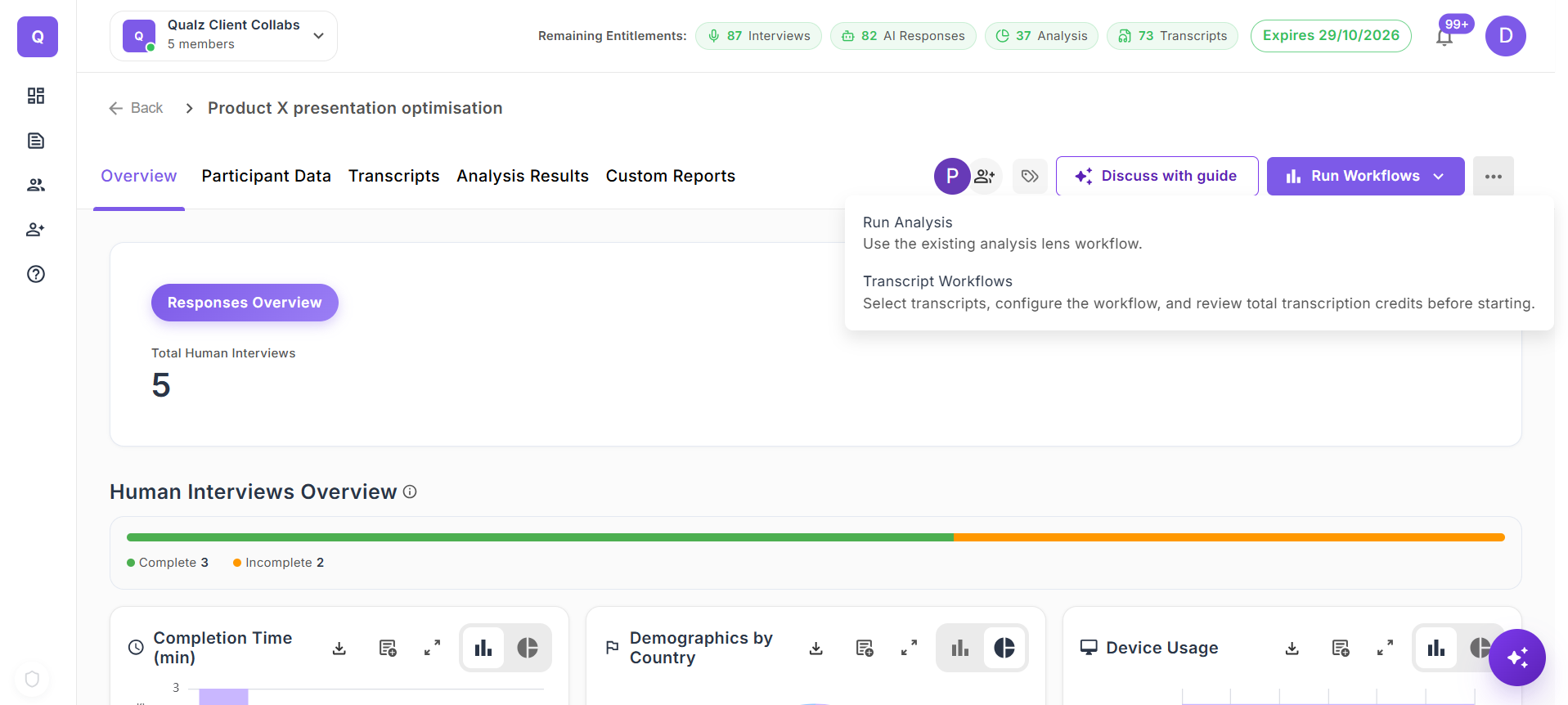
The other option, Transcript Workflows, is a different job entirely — it is for translating, redacting, or enhancing the transcripts themselves, not for analysing them. If you want themes, choose Run Analysis.
- You'll land on a guided flow with a step indicator at the top. For Thematic Analysis the stepper is: Select Lens → Select Items → Codes & Context → Estimate Analysis.
Step 3: Select the Thematic Analysis lens
You'll see a grid of lenses grouped by category — Behavioral, Framing, Journey, Sentiment, and more.
- Use the category filter chips at the top, or type in the search box, to narrow the grid.
- Click the Thematic Analysis lens card to select it, then click Next to advance to the second step.
Step 4: Select the transcripts to analyze
- Check the box next to each transcript you want to include in the run. You can filter by status, tags, or source (original vs. translated) so you only see the transcripts that matter for this analysis.
- Click Next to move to the Codes & Context step.
Step 5: Codes & Context (Thematic Analysis only)
This step is where you tell Qualz how much of the coding to do for you — and how much you want to steer. Everything on this screen is optional; skip anything and AI will figure it out.
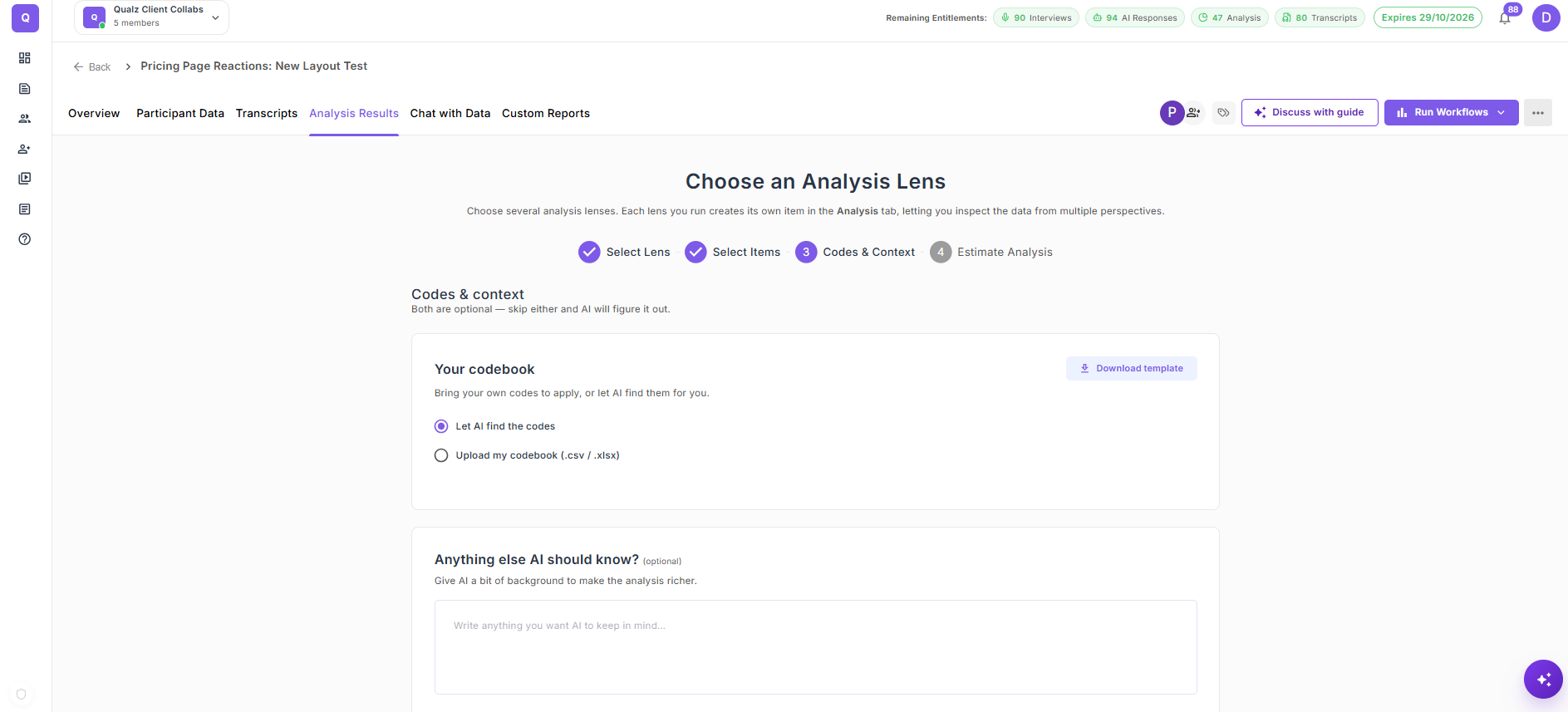
- Your codebook. Two options via the radio:
- Let AI find the codes (default) — Qualz's AI reads the transcripts and generates the codebook from scratch. Lowest friction; best when you don't yet have a codebook of your own.
- Upload my codebook (.csv / .xlsx) — bring your own codes to apply. The file must have two columns named
codesanddefinition; click Download template for a starter file. After upload, you'll see a review table showing every parsed code with its definition so you can confirm exactly what the analysis will see. Re-upload to make changes.
- Anything else AI should know? (optional). A free-text field for research framing — describe your audience, the objective, or context the AI wouldn't infer from the transcripts alone. Up to 4,000 characters.
- Advanced → Pause after open coding so I can review (toggle, off by default). When on, the analysis stops after open coding is complete, so you can rename, unassign, or delete codes, and add new ones before categories and themes are generated. A Continue Analysis button appears on the results page once coding is done. This is independent of the codebook choice — a researcher with their own codebook can still review the AI's per-paragraph assignments before themes are built.
Click Continue when you're ready.
Step 6: Review the estimate and submit
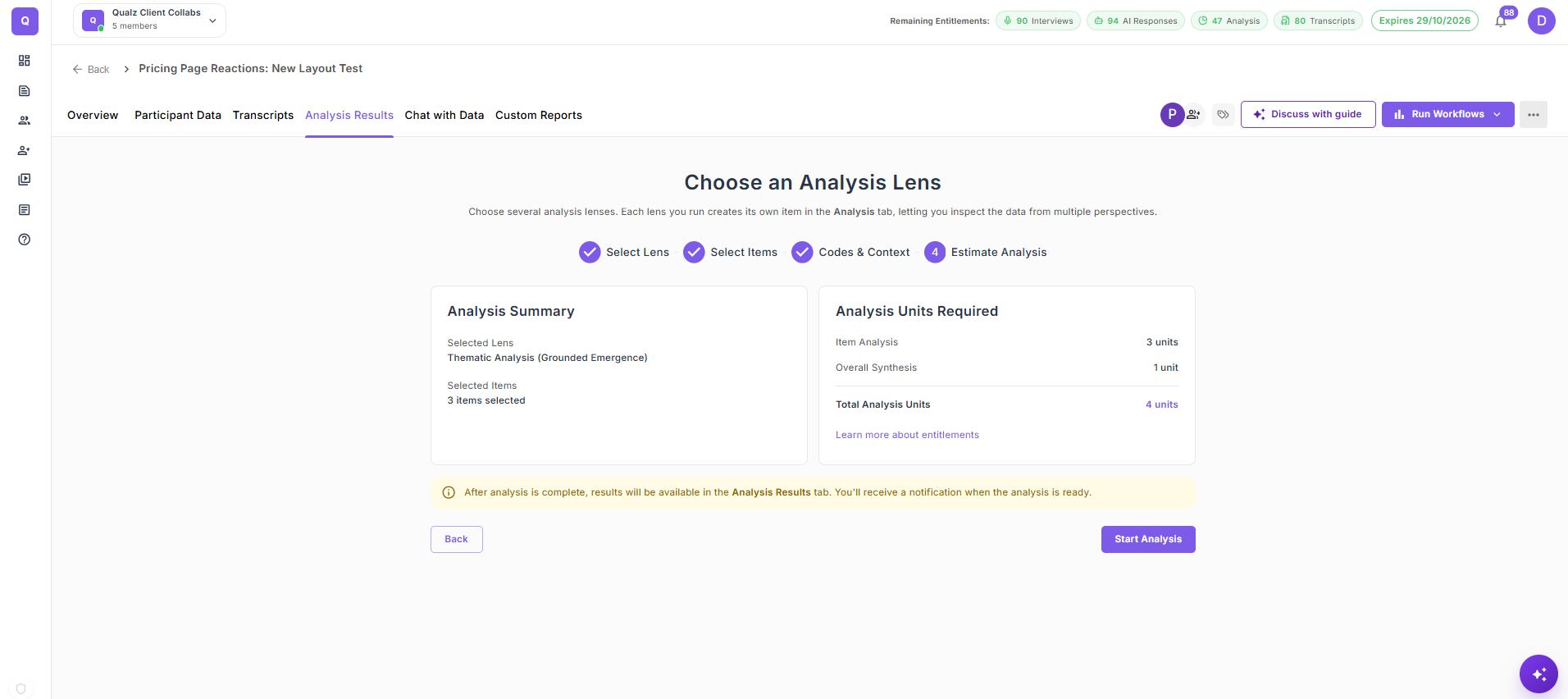
Before the analysis runs, Qualz shows the estimated credit cost so you can confirm the scope before spending.
- Review the credit estimate and the summary of transcripts selected.
- Click Submit to start the analysis. The run is queued in the background — you don't need to keep the tab open.
Step 7: View the Results in “Your Analyses”
Go to the “Your Analyses” tab to view your completed analysis. With Qualz.ai’s Thematic Analysis Lens, you can transform raw transcripts into structured behavioral blueprints that reveal who your users are, what they’re trying to do, and what stands in their way.
With Thematic Analysis, you can:
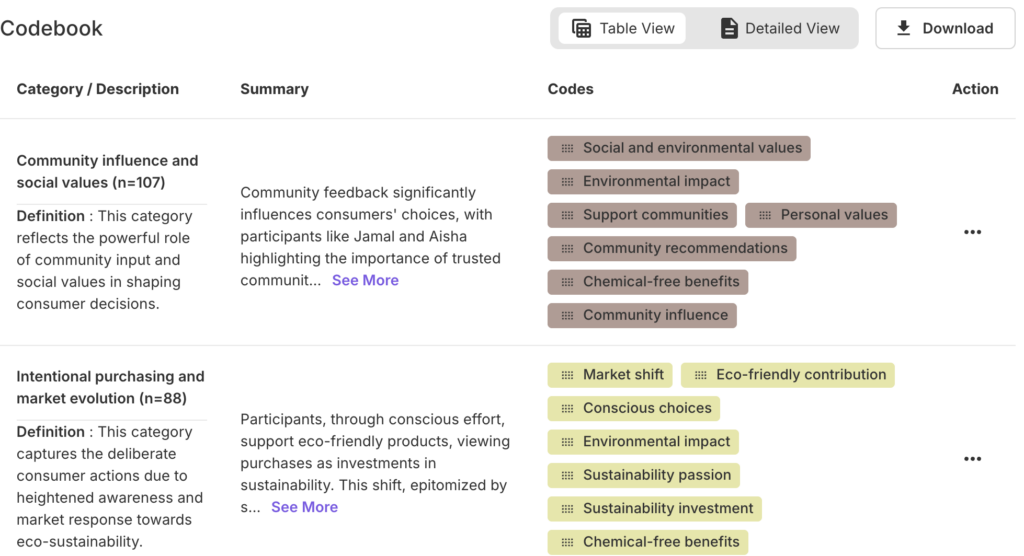
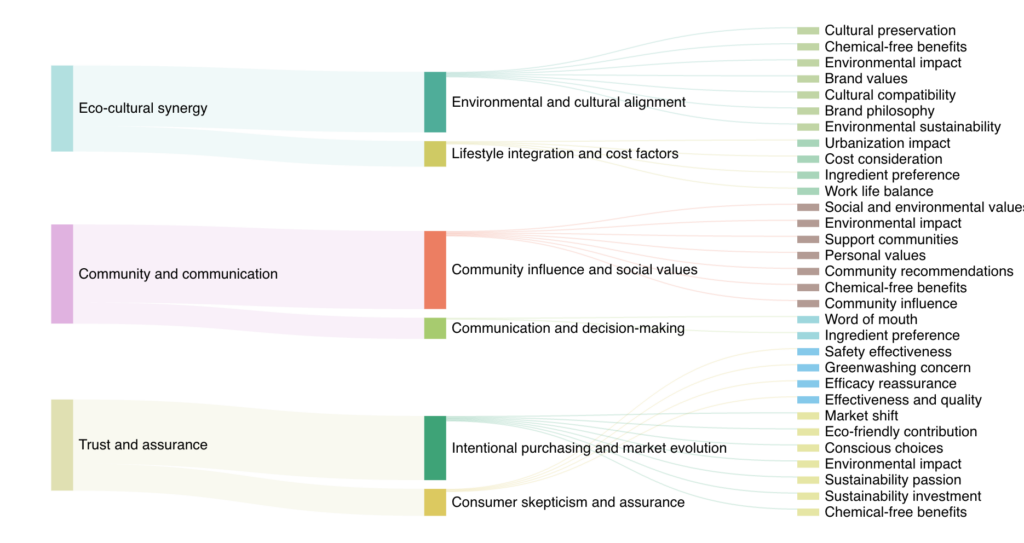
Surface Meaningful Code Categories Automatically generate and group granular insights into well-defined thematic categories like Community Influence and Social Values or Trust and Assurance, helping you move from scattered feedback to structured meaning.
Build a Detailed Codebook Instantly Get access to a dynamic, AI-curated codebook complete with definitions, tagged quotes, and sample interpretations, making it easier to explain and defend your findings with clarity and consistency and easy download.
Visual Narrative Flows Explore Sankey-style visualizations that map how micro-codes flow into subthemes and roll up into major themes. These visuals allow you to trace meaning across layers, from user sentiment to value-driven decision-making.
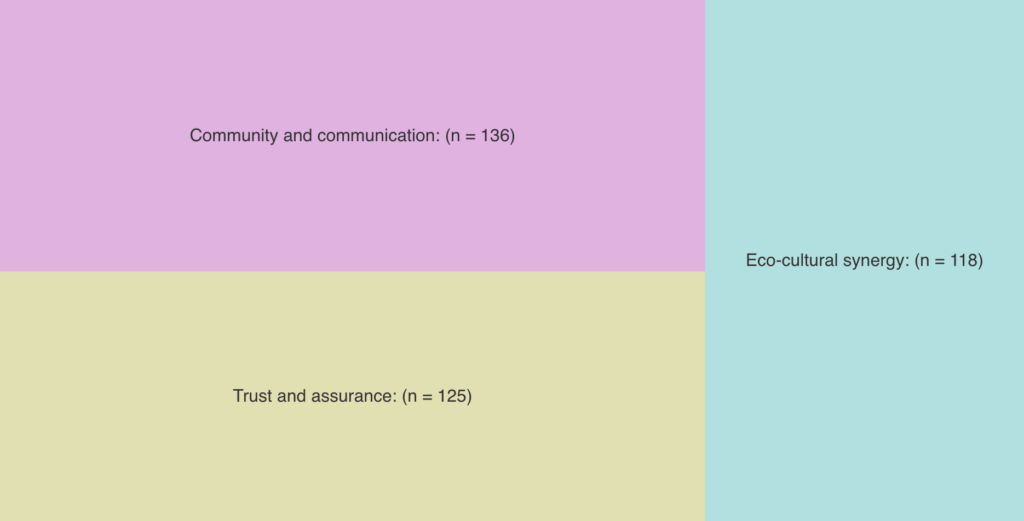
Prioritize What Matters with Treemaps Quickly identify dominant themes by frequency and relative weight. Treemap visualizations reveal which topics carry the most emotional or practical relevance across your dataset.
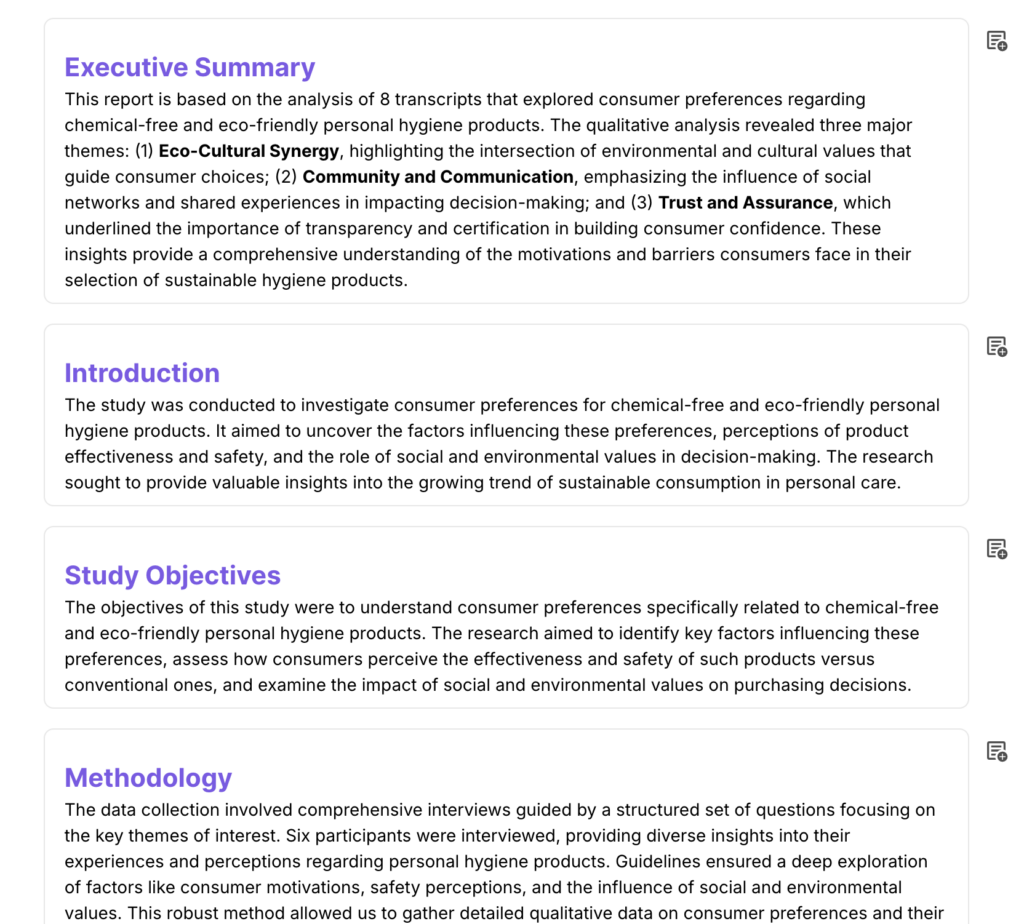
Deliver Study-Ready Reports From executive summary to insights, your thematic report is ready for stakeholders, complete with high-level synthesis, methodology transparency, and strategic opportunities grounded in participant narratives.
Ready to go beyond messy transcripts and unlock hidden insights through automated codebooks and visualizations? Schedule a demo now!