The Expert Evaluator Bottleneck
Cognitive walkthroughs remain one of the most powerful usability evaluation methods available. An expert evaluator steps through a task sequence, examining each action from a novice user's perspective: Will the user know what to do? Will they recognize the correct action? Will they understand the system's response?
The problem is scale. A thorough cognitive walkthrough of a complex application takes an experienced evaluator two to five days. Most product teams cannot afford that cadence for every release. So walkthroughs get skipped, deferred, or reduced to superficial checklist exercises that miss the contextual judgment that makes the method valuable.
This creates a false economy. Teams save evaluator hours but ship interfaces with discoverable usability problems that cost exponentially more to fix after release. The gap between what cognitive walkthroughs could catch and what actually gets caught before release is growing as product complexity increases.
What Traditional Walkthroughs Actually Evaluate
Before we can understand where AI fits, we need clarity about what cognitive walkthroughs actually assess:
Action identification. Can users determine what actions are available at each step? This evaluates information scent, affordance clarity, and the visibility of interactive elements.
Action-goal mapping. Can users connect available actions to their current goal? This evaluates labeling, conceptual models, and the match between user mental models and system organization.
Feedback interpretation. After taking an action, can users understand what happened and whether it moved them toward their goal? This evaluates system feedback, state visibility, and error communication.
Error recovery. When users take wrong actions, can they recognize the error and find a path back? This evaluates undo availability, error messaging, and navigation flexibility.
Each of these dimensions requires contextual judgment. "Can users determine what actions are available?" depends on who the users are, what they have already learned, and what assumptions they bring from other products.
Where AI Excels in Walkthrough Automation
AI models bring specific capabilities that complement human evaluator judgment:
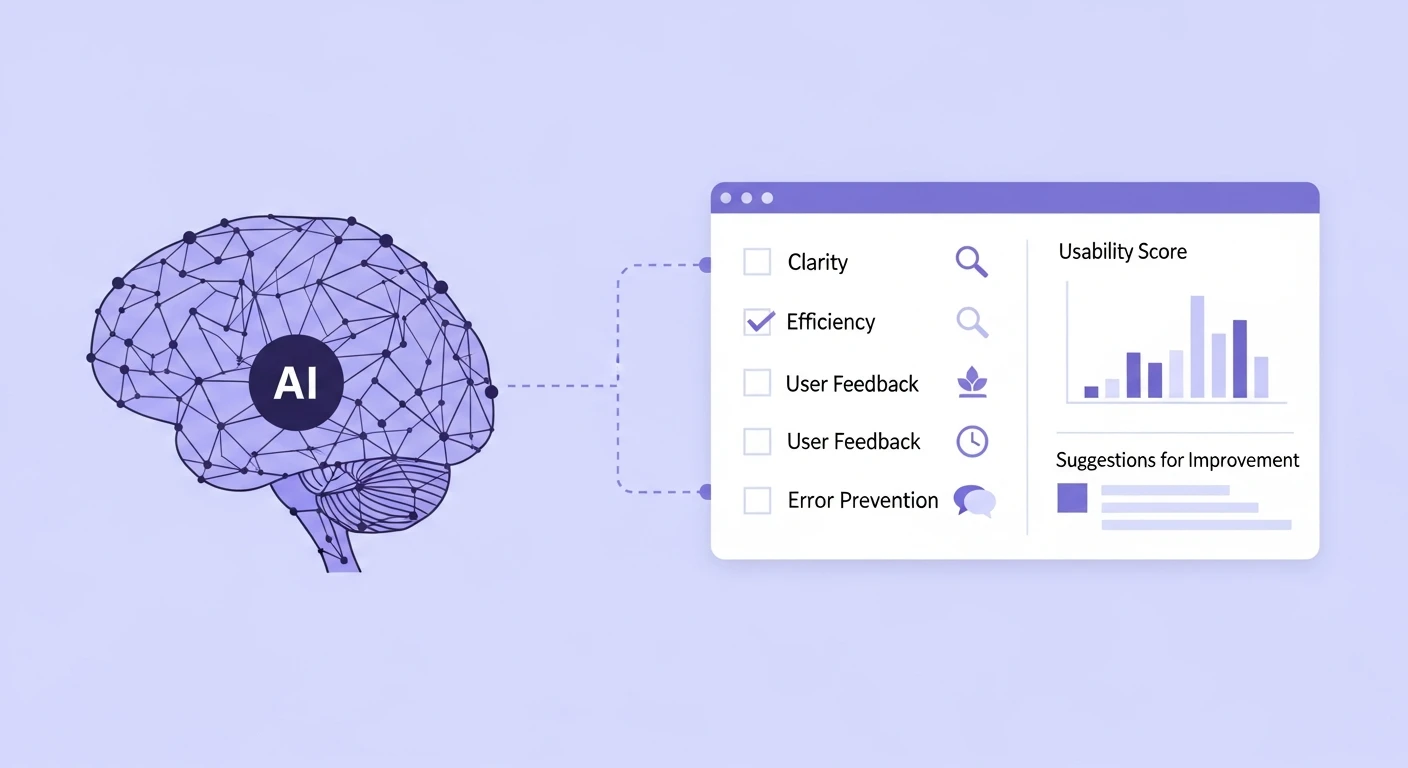
Pattern recognition across interfaces. AI can rapidly compare an interface against thousands of established patterns, identifying where a design deviates from conventions users likely expect. This is the "Nielsen heuristic check" portion of a walkthrough, and AI can do it comprehensively in seconds rather than relying on an evaluator's memory of best practices.
Consistency auditing. AI can systematically check whether interaction patterns, terminology, and feedback mechanisms are consistent across an entire application — a task that human evaluators notoriously miss because they evaluate individual flows rather than cross-flow patterns.
Accessibility compliance. AI can evaluate WCAG compliance, color contrast ratios, keyboard navigation paths, and screen reader compatibility with near-perfect accuracy. These checks are well-defined, rule-based, and benefit from automation.
Scale across variants. For applications with responsive layouts, dark mode, internationalization, or role-based interfaces, AI can evaluate multiple variants simultaneously — something no human evaluator can do efficiently.
Where AI Falls Short
The limitations are equally important to acknowledge:
Contextual mental model assessment. AI cannot reliably predict what a specific user population will expect based on their prior experience, industry norms, or cultural context. This requires the ethnographic knowledge that expert evaluators build over years of working with specific user populations.
Emotional and aesthetic evaluation. Whether an interface feels trustworthy, whether an animation feels smooth or jarring, whether a flow feels effortful — these affective dimensions resist algorithmic evaluation. As research on emotional coding in qualitative analysis demonstrates, affect is a dimension that requires human interpretive capacity.
Novel interaction paradigms. When evaluating genuinely new interaction patterns that have no established convention, AI has no baseline to compare against. Expert evaluators can reason from first principles about learnability; current AI models cannot do this reliably.
Strategic prioritization. AI can identify hundreds of potential issues. Deciding which ones actually matter for this product, this user base, at this stage of maturity requires business context and strategic judgment.
A Hybrid Evaluation Framework
The most effective approach combines AI breadth with human depth:
Layer 1: Automated scanning (AI-led). Run comprehensive heuristic checks, accessibility audits, consistency analysis, and pattern matching across the entire interface. This generates a complete inventory of potential issues with minimal evaluator time.
Layer 2: Contextual filtering (human-guided). An expert evaluator reviews the AI-generated inventory, filtering based on user population knowledge, business context, and strategic priority. This reduces hundreds of findings to the dozens that actually matter.
Layer 3: Deep walkthrough (human-led, AI-supported). For critical flows, conduct traditional cognitive walkthroughs with AI providing real-time reference — pulling relevant usability research, highlighting similar patterns from competitor analysis, and noting where the flow deviates from user expectations established in prior research.
Layer 4: Evidence integration (AI-assisted). Connect walkthrough findings to existing user research evidence. AI can surface relevant interview quotes, behavioral data, and support tickets that validate or challenge evaluator judgments. This connects to how organizations build research repositories that teams actually use — making prior research accessible in the evaluation context.
Implementing AI-Augmented Walkthroughs
Practical implementation requires specific tooling decisions:
Input format. The most effective AI evaluation works from both visual screenshots and the underlying component tree. Visual analysis catches aesthetic and layout issues; component tree analysis catches structural and accessibility issues.
Evaluation prompting. Generic "find usability problems" prompts produce generic results. Effective prompting specifies the user persona, their goal, their experience level, and the specific heuristic framework to apply. Building robust evaluation prompts parallels the challenges of structured output engineering in production systems — specificity drives quality.
Calibration with user data. AI evaluation improves dramatically when calibrated against actual user behavior data. If you have analytics showing where users abandon flows or support tickets describing confusion points, feeding this context to the AI grounds its evaluation in empirical evidence rather than theoretical heuristics.
Severity scoring. Develop a consistent severity framework that both AI and human evaluators use. This enables meaningful comparison and tracking across evaluation cycles.
Integration With Research Operations
AI-augmented walkthroughs work best when embedded in a broader research operations framework:
- Run automated scans on every significant UI change (continuous evaluation)
- Schedule deep hybrid walkthroughs quarterly for critical user journeys
- Connect walkthrough findings to your research operations stack so findings feed into the same insight repository as interview and survey data
- Use walkthrough results to inform research planning: issues that cannot be resolved through evaluation alone become candidates for user testing
The goal is not to replace expert evaluation with AI. It is to make expert judgment available more frequently by automating the portions that do not require it, and augmenting the portions that do.
Measuring Evaluation Effectiveness
Track these metrics to assess whether your hybrid approach is working:
- Pre-release catch rate: What percentage of user-reported usability issues were identified in pre-release evaluation?
- False positive rate: What percentage of AI-flagged issues turned out to be non-issues when human evaluators reviewed them?
- Evaluation velocity: How much faster are evaluation cycles compared to fully manual walkthroughs?
- Coverage breadth: What percentage of your application surface area receives evaluation each quarter?
The target is not perfection — it is catching more issues, faster, with less evaluator fatigue.
Practical Takeaways
- Start with automated accessibility and consistency scanning — these have the highest accuracy and lowest false-positive rates
- Build persona-specific evaluation prompts rather than using generic heuristic checks
- Always include human expert review for novel interactions, emotional design, and strategic prioritization
- Connect evaluation findings to your research repository so walkthrough insights compound over time
- Measure catch rates to calibrate the balance between automated and manual evaluation