In-chat computation (sandbox)
Computed answers in chat
Some questions aren't quotable — they're computational. "What's the correlation between time-to-complete and satisfaction?" "Split satisfaction by device." "Chart the iOS vs Android breakdown." Research Guide answers these by running the computation alongside your conversation and returning the result inline.
What this unlocks
- Exploratory analysis without leaving chat. Ask a question, get a computed answer with quoted evidence, ask the next. No switching to a notebook or BI tool for quick checks.
- Chart-ready outputs. Splits, correlations, and aggregations come back as tables and charts you can screenshot into a deck.
- Conversational follow-ups that remember. The sandbox thread persists across turns — ask a correlation, then "now split that by plan," then "now filter to the last 30 days" without re-explaining the data.
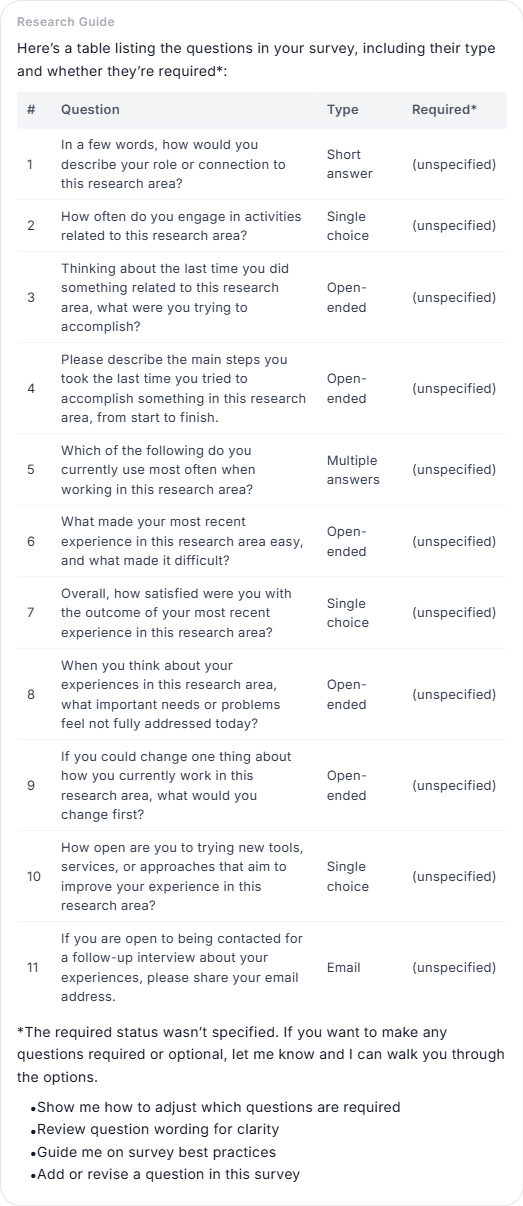
What Research Guide can compute
When a question needs real calculation, the guide runs it for you and returns the result alongside quoted evidence:
- Correlations and regressions across numeric fields.
- Cross-tabs and segment comparisons by tag.
- Keyword scans with counts and quoted excerpts.
- Theme aggregations across transcripts (mention counts per topic, participants per theme).
- Charts and tables you can screenshot straight into a deck.
When this kicks in
Research Guide runs the computation when:
- The question needs real math ("correlation of X and Y", "split satisfaction by plan").
- A keyword or quote search turned up empty and the researcher obviously expected hits.
- The attached study is still being prepared for fast search, and a direct pass over the data is more reliable.
For quick, narrow lookups the guide uses its faster search tools and only falls back to computation if needed.
It remembers what it computed
Computed results stay with your conversation. If you ask a follow-up that builds on a prior calculation — "now split that by plan", "now filter to the last 30 days" — the guide reuses the earlier work instead of starting over.
Longer answer times
Computed answers typically take 10-30 seconds, sometimes longer for large transcript sweeps. You'll see a progress indicator and you can keep typing; the next question will queue.
Cited just like quotes
Every computed answer is cited to the exact rows or transcripts it drew from. A correlation claim links to the computation that produced it; a theme summary links to the quotes that grounded it. If the guide can't cite the claim, it won't make the claim.